Security, Compliance & GDPR
Right to work, DBS and consent sit on the record, beside the placement or the shift they cover.
- On the recordCertificates, AWR and IR35 sit next to the placement or shift they affect.
- Access by roleEach role gets a hidden screen, read-only access, or permission to make changes.
- Answered months laterWho changed what, and when, stays in the history an auditor reads.
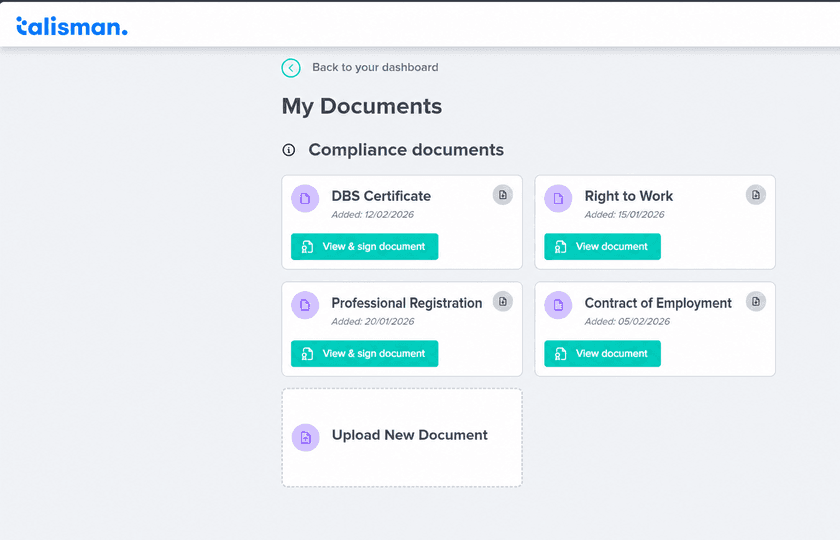
Compliance lives on the record, beside the work
Most agencies keep the evidence in one place and the job in another.
The DBS certificate sits in a shared drive. The right-to-work copy sits in an inbox. The expiry dates live on one person’s laptop. A client asks who checked it, and three people go looking.
In Talisman the certificate, the consent, the expiry date and the sign-off sit on the candidate record. So does the placement or the shift that needed them. Your agency writes the policy and your DPO approves it. Talisman holds the evidence it produces.
Before an offer or a shift is confirmed, the consultant reads the record.
- Expiry dates on right to work, DBS and professional registration
- Which consents the candidate has given, and when each one runs out
- How the rate compares with the one you agreed with the client
- Whether the worker can actually be paid, and where they stand on AWR
- Fatigue, break, recent-hours and duration checks, where you have set them up
Compliance Clara chases the certificates that are running out, under the permissions of the person who set her up. Review results during training, then automate the agreed chasing workflow. See the booking desk as a shift is filled.
Each role opens onto the work it is responsible for
One sign-in, and the role decides the screens, the fields and the actions.
A consultant, perm or temp
- Opens onto
- Their candidates, clients, jobs, placements and shifts
- Can change
- Their placements, bookings, notes and document requests
Pay rates and bank details stay with finance
A compliance administrator
- Opens onto
- Right to work, DBS and expiry dates
- Can change
- Document status, expiry date and sign-off
The pay run stays with payroll
Payroll and finance
- Opens onto
- Worker records, bank details and the pay run
- Can change
- Runs up to their approval level
A branch role opens onto that branch
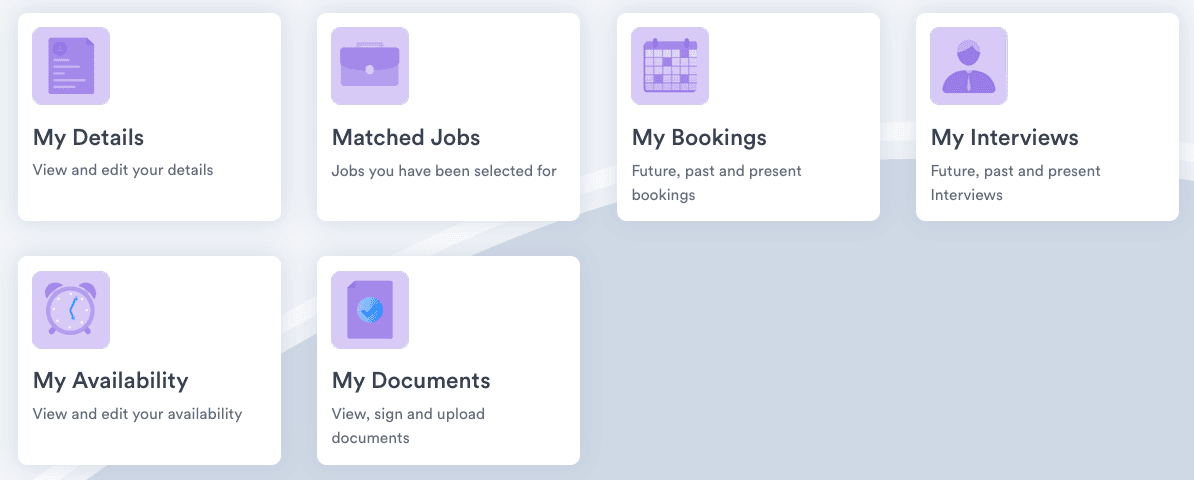
A candidate, in their portal
- Opens onto
- Their details, matched jobs, interviews, bookings and documents
- Can change
- Their details, availability and uploads
Their own record is the whole view
An agent, or a workflow running on its own, signs in as a person and carries exactly that person’s permissions. So does every connection through the Open API.
A worker asks what you hold, or asks to be forgotten
Consent given, renewed or withdrawn is a state on the record, and it carries a date.
Your agency sets the retention rule. Talisman runs erasure that respects it. The parts that may go, go. The parts your rule holds stay for the period you set, with the reason beside them.
What they ask, and where the answer sits
Straight off a perm or temp supplier questionnaire, with the screen each one opens.
“Who can open a worker’s bank details?”
Payroll and finance hold that permission. The desk opens onto the job.
“How do you know that DBS was checked, and by whom?”
On the candidate record, with the date and the person who added it.
“Who sent that CV to the client, and when?”
On the candidate record, with the consultant named and the date.
“What happens when somebody asks to be deleted?”
Erasure runs against your retention rule. The request and the date stay.
“Who approved this timesheet?”
On the line it approved, with the approver named.
“Who changed that rate, and when?”
The change history names the person and the time.
The same evidence shows up on online timesheets and approval and on pay and bill.
Security, compliance and GDPR FAQ
Who can see a worker’s bank details?
Payroll and finance. Worker records, bank details, the pay run and the invoice it produced are permissioned by role, and each role gets the access its job needs: a hidden screen, read-only access, or permission to make changes. A consultant on a perm or temp desk opens onto the job, the availability and the compliance state of the person they are placing. Pay rates and sensitive records stay behind the permissions set for that person. Multi-level approvals sit around the actions that move money, so the person who prepares a run and the person who releases it can be two different people.
What happens to a worker’s data when they leave?
Your agency sets the retention rule and Talisman runs erasure that respects it. The parts that may go, go. The parts your rule holds — a payroll record, a right-to-work check — stay for the period your agency set, with the reason sitting beside them on the record. Consent renewal and consent withdrawal are states on the record too, each carrying its date. The request, the decision and the date remain in the change history for whoever reads it next.
How does Talisman handle a subject access request?
An authorised administrator starts with the person’s record to gather their details, documents, consent, bookings, timesheets and message history. Your agency reviews the information and responds under the applicable access rules, including protecting other people’s information. Retention and erasure are separate decisions. The request and the decision stay in the history for future reference.
What compliance checks run before a booking is confirmed?
Before anyone is committed to a placement or a shift, the people you have given access can see whether that worker can actually be paid, where they stand on AWR, and how the rate compares to the one agreed with the client. Where your agency has configured them, fatigue, break, recent-hours and assignment-duration checks appear in the same view as the booking. Which checks show up depends on how your agency is set up, on the role and on your own process. Talisman puts them in front of the consultant, and the consultant reads them and decides.
Answer the questionnaire from the record itself
Bring the supplier pack you are filling in and the two roles you argue about. We will open the same worker record from each side.