MCP: your team’s assistant, on your own records.
Find candidates, build shortlists and follow up from one conversation. Connect your agency’s AI assistant to the Talisman records your team already works on.
 Illustration
Your team already works this way
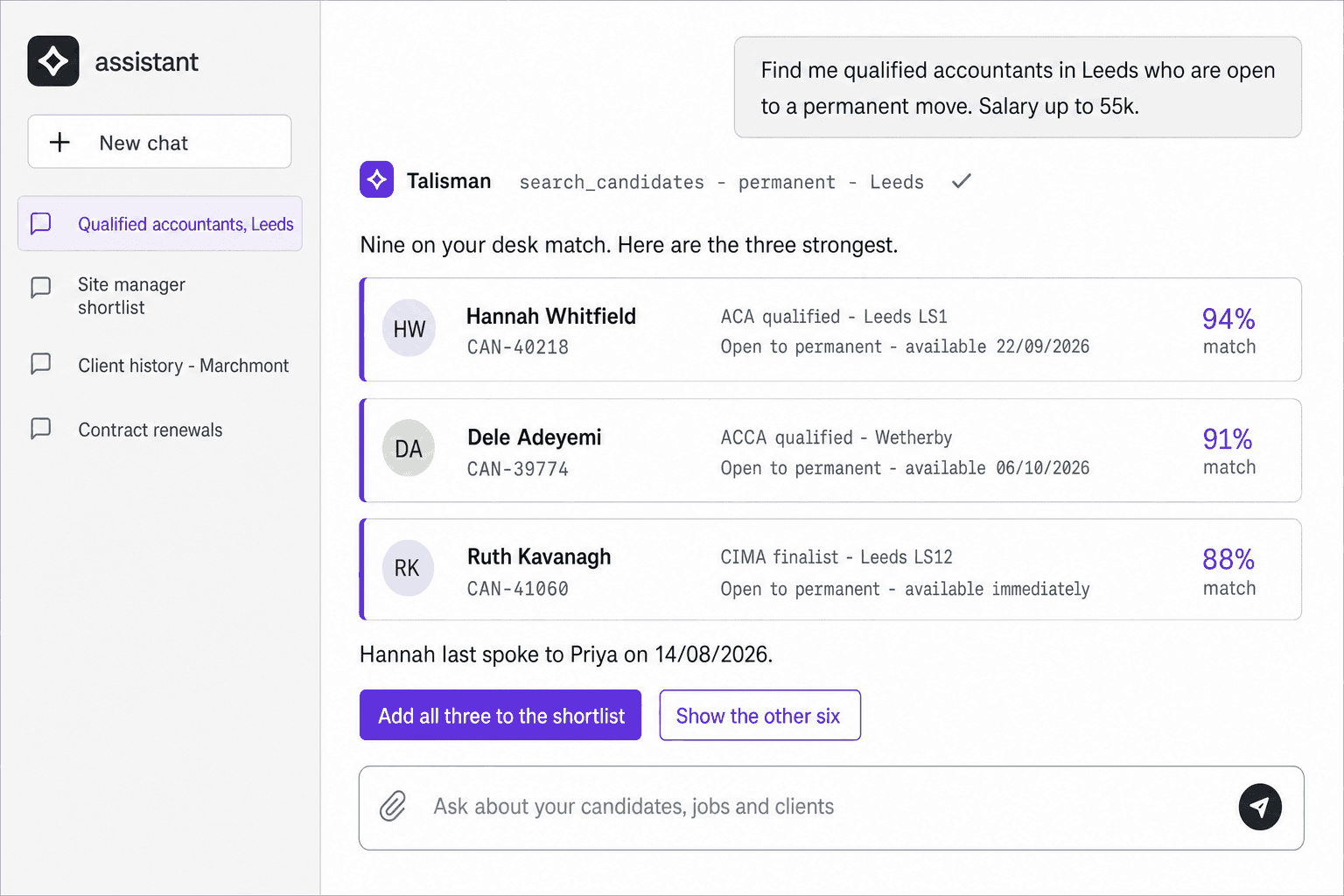
Somebody on your desk is using ChatGPT today.
They paste in the CV. They paste in the job spec. The answer lands in a chat window and stops there.
Put the answer to work: search your database, build a shortlist or run a report without leaving the conversation. MCP connects your assistant to Talisman.
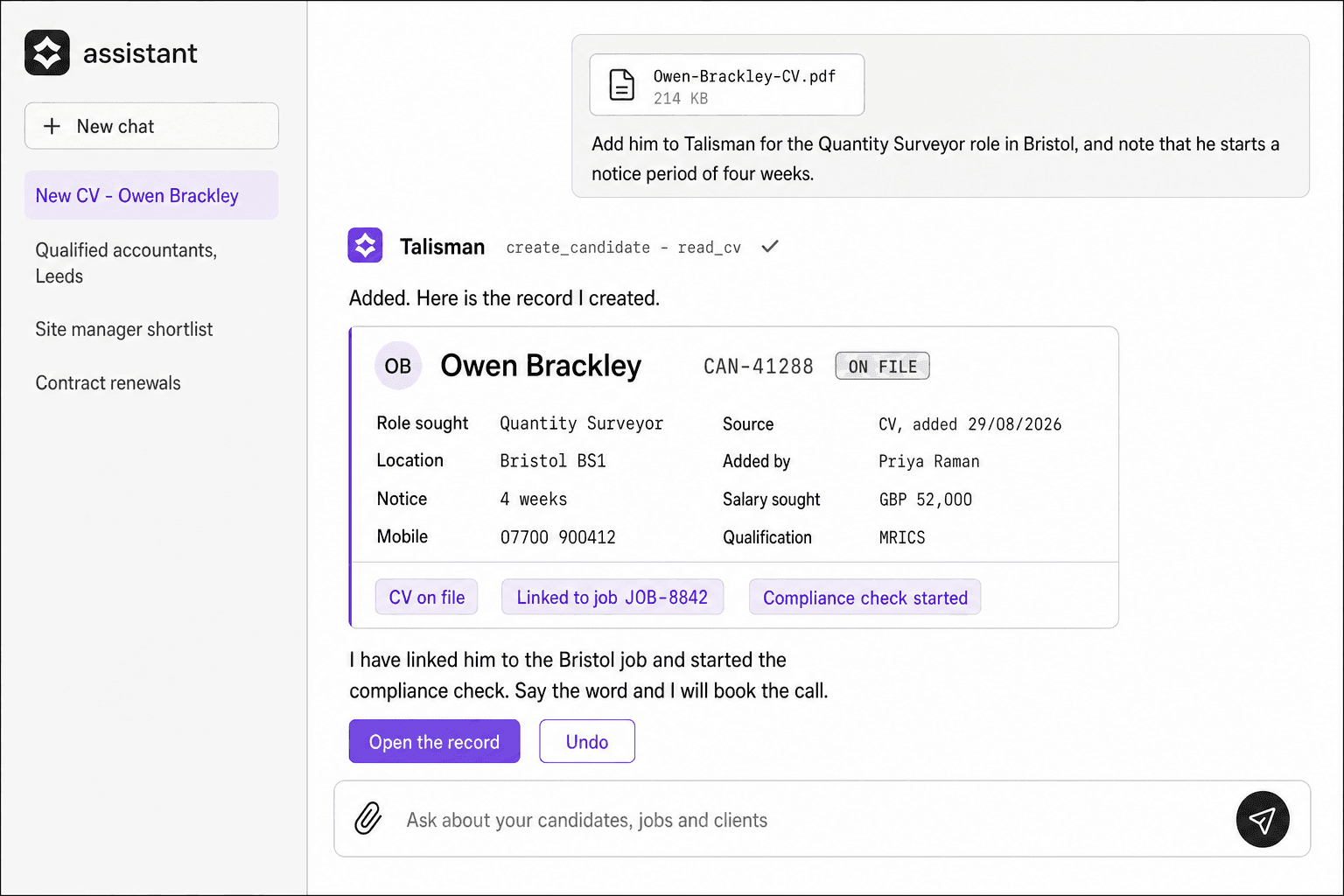
We tailor the workflow during onboarding, from adding a CV to following up with a candidate. Your team gives feedback during training, then automates the agreed steps.
 Illustration
Ask in your own words, against your own records
| What somebody asks | What comes back |
|---|---|
| Three drivers free on Thursday, cleared for that site | A shortlist with availability and the checks on each worker, waiting for the consultant’s yes |
| What has happened on this client since March | A summary with the dates, the jobs and the people named in it |
| Draft the message to every worker whose DBS expires next month | A draft per worker, in the wording you approved, each one waiting for a send |
| Which of my perm roles is sitting at offer, and for how long | The candidate, the client and the day it reached offer, in one list |
| Which of my jobs still has a shift open for tomorrow | The open shifts, the client and the hours, in one list |
One question, from the chat window to the record
Your consultant
Their assistant
Talisman
- Your consultantAsks for the shortlistIn the assistant they already use
- Their assistantCalls Talisman as that consultantStraight to the live recordsChatGPT or Claude
- TalismanThe sign-in behind itChecked on every call
- TalismanAnswers with what they may openThat desk’s candidates, jobs and bookings
- Your consultantChecks the proposed actionUsing the assistant’s confirmation settings
- TalismanRuns the permitted toolOn the record, in their name
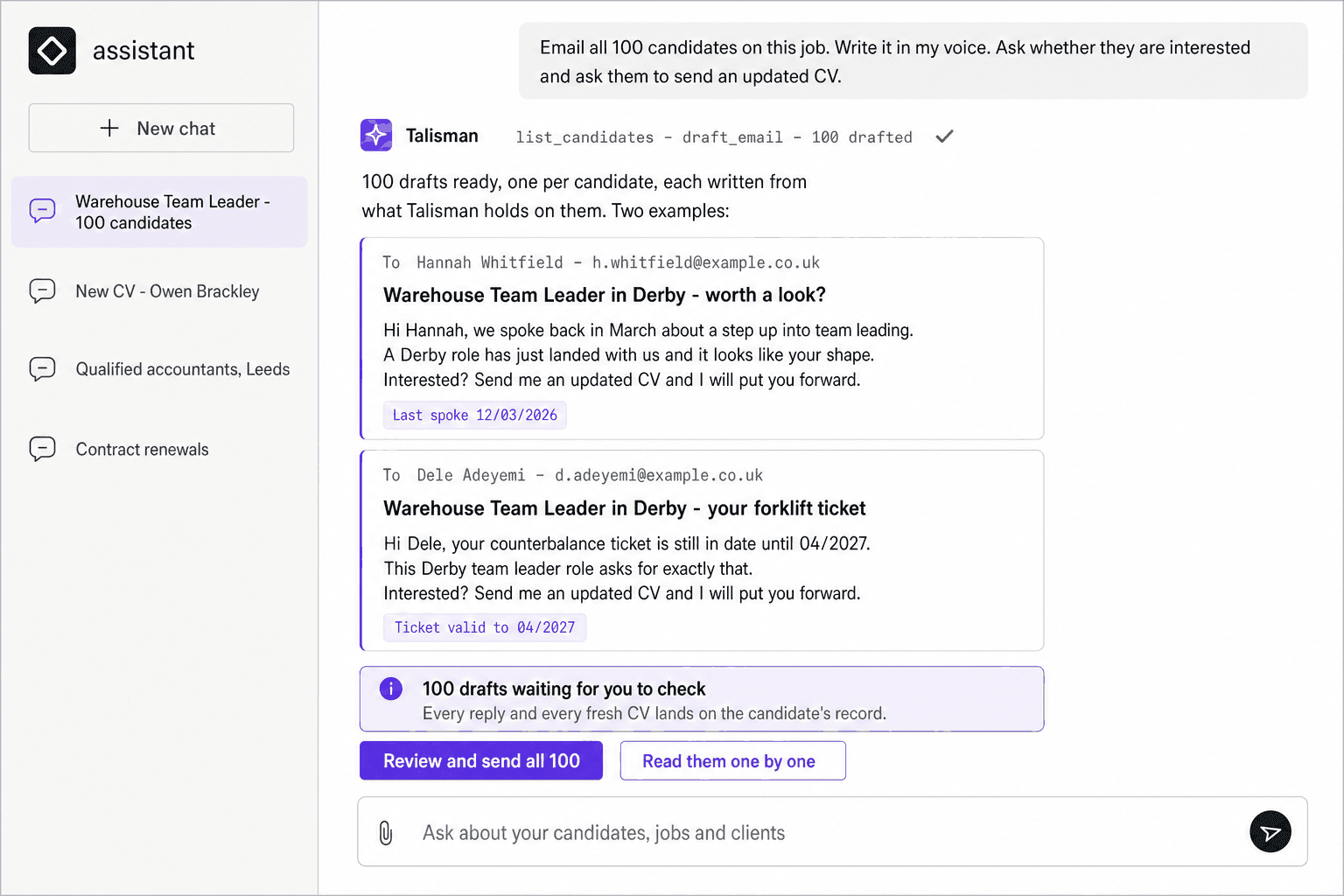
One ask, 100 candidates
Start with a small sample before widening the request.
A consultant asks for an email to all 100 candidates on a job. In their voice. Asking each one whether the role interests them, and asking for an updated CV.
Each draft draws on the candidate’s own record. Use the training period to get the tone and details right, then automate follow-up within your agreed consent rules.
We configure how replies and updated CVs return to the record during onboarding.
 Illustration
How you connect it
One sign-in, in the assistant your agency already uses.
You add Talisman as a connector and authorise it once, in your browser. From then on it runs as you, with your permissions.
Agree which tools it may use, including any that send messages or change records.
- ChatGPT, Microsoft Copilot and Claude, where your agency has approved them.
- Any client that speaks MCP, including the agent frameworks your team tries.
- The same Talisman records behind whichever assistant you settle on.
What the connection carries
- The person who authorised it, by name
- That person’s permissions, on every call
- The records that person may open
- The supported tools enabled for that connection
MCP access is included in the Talisman Platform, across the modules you have switched on.
MCP FAQ
What can the assistant see?
The connection identifies the authorised user and agency. Available records and actions depend on the supported tools, access controls and modules enabled for that connection.
Where do the records live?
In Talisman. The assistant works the live candidate, contact, client, job and booking records your team already keeps. So the answer comes back with the job number, the worker and the date on it.
Can we write our own agents against it?
Yes. Your developers can use the supported MCP tools from their own agents, with an authorised connection and the access controls configured for it.
How do we know what it did?
During the training period, review tool calls and results, then incorporate feedback. Automate the agreed workflow once your team is confident. Write tools can act directly, so agree permissions and confirmation settings before use.
Point an assistant at your own records
The session runs on your own desks, with an assistant signed in as a named user.