Documents and comms: the contract and the reply on one record.
Every document and message sits on the candidate, client, job, placement or booking it belongs to.
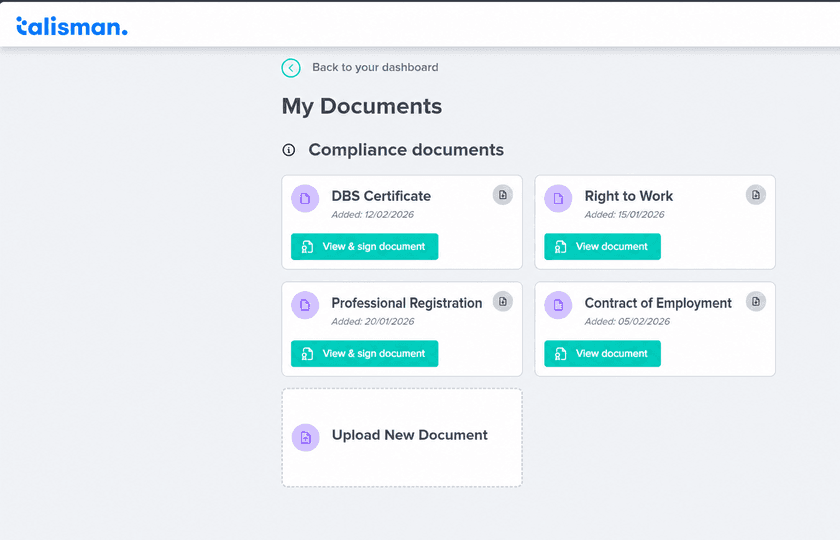
Where each piece of paperwork lives
A client asks you to evidence a dozen placements by Friday. Each question has one answer, on one record.
| What you hold | Where it sits |
|---|---|
| Right to work, DBS and professional registration | On the candidate or the worker, in their documents |
| Contracts of employment, terms of business and assignment schedules | On the person or the client they were issued to |
| CVs, and the version that went to the client | On the candidate, and on the job it was sent for |
| Emails, texts and the replies to them | On the candidate, contact, client or job |
Send it from the record, and read the reply there
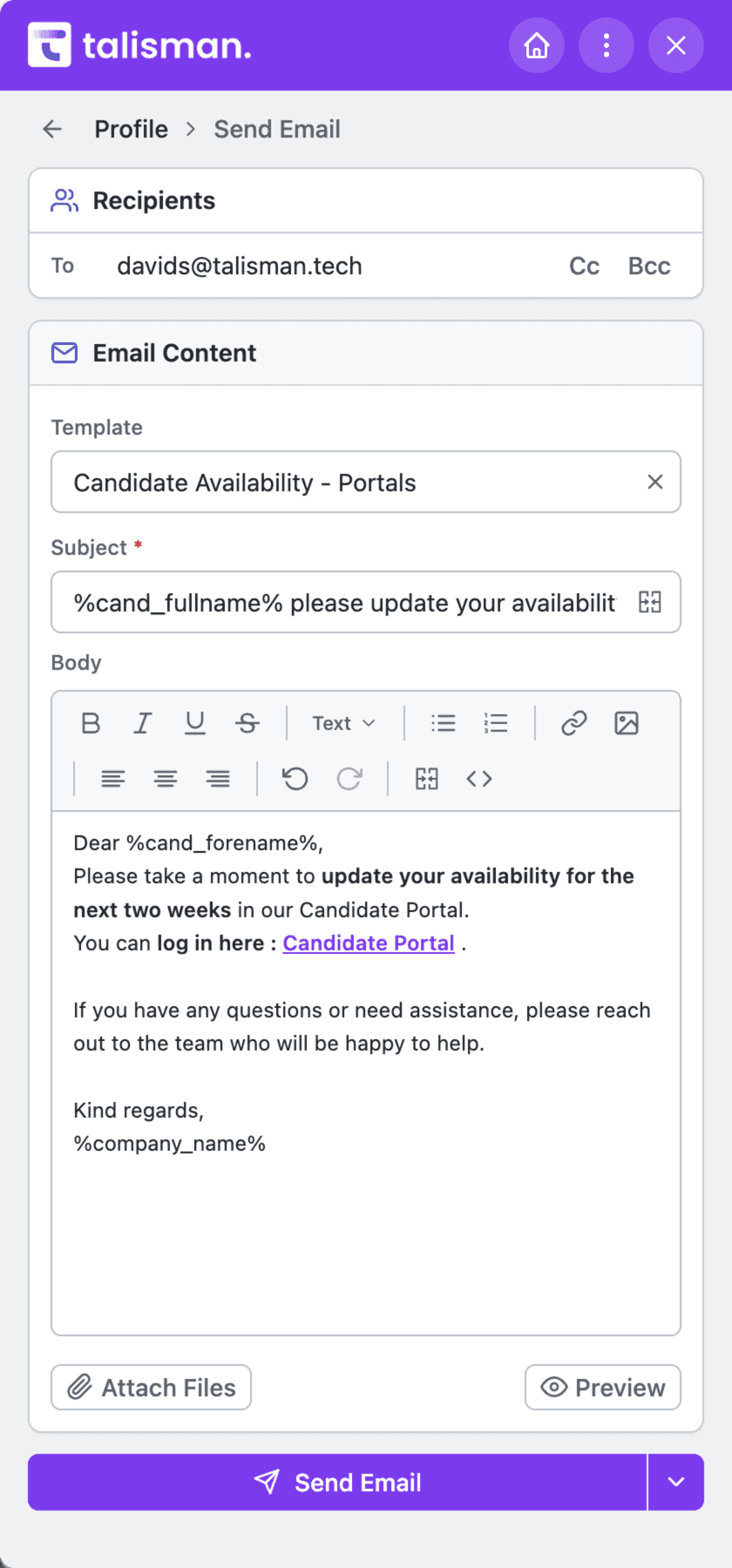
The consultant is already on the person. Pick a template, and the subject and body fill in from the record. Where tracking is switched on, the reply comes back to the same record, in date order.
Every document carries its date. Save the search for what runs out next month, and set up Talimate automations or AI agents to chase replacements and carry the new dates through to the interview, the placement and the booking desk. The person uploads the replacement in their own portal.
Documents and communications questions
Which documents does Talisman hold?
The paperwork an agency actually keeps. Right to work, DBS and professional registration on the worker. Contracts of employment, terms of business and assignment schedules on the person or the client they were issued to. CVs, including the version that went to the client. Shift confirmations and booking changes on the booking. Payslips, self-bills and remittances from the pay run. Each one sits on the record it belongs to and carries the date it arrived.
How does a document get produced?
From a template your agency wrote and approved. The template pulls the live record in — the name, the rate, the dates, the client contact. What comes out is an email, a stored file, or something you can print. When the wording has to change, you change the template once and every document after that follows it.
What happens to an email or a text after it is sent?
It stays on the candidate, contact, client or job it was sent from. Where you have tracking switched on for that channel, the delivery status sits with it and the reply comes back to the same record. The next consultant to open that record reads the conversation in date order, including the messages a colleague sent last month.
Can an expiring certificate be chased on its own?
Yes, through a workflow you set up in Talimate. A saved search picks up everyone whose certificate expires next month. The request goes out in your wording, waits, and goes again. The consultant is told what is still outstanding. With Compliance Clara, review early results and feed back corrections during training, then automate the agreed chasing workflow.
Bring us the week your paperwork went missing
Half an hour on your own records.