AI recruitment agents for every desk you run
Anything your people do on Talisman, an agent can take on. Perm, contract, temp and shift.
So what could an agent do for you?
Your people work every corner of Talisman. The candidate, the client, the job, the placement, the booking, the week, the pay run and the invoice.
An agent reaches the same records, on the permissions of the person who set it up. Give it the job you would give a new starter, and it works that job every day.
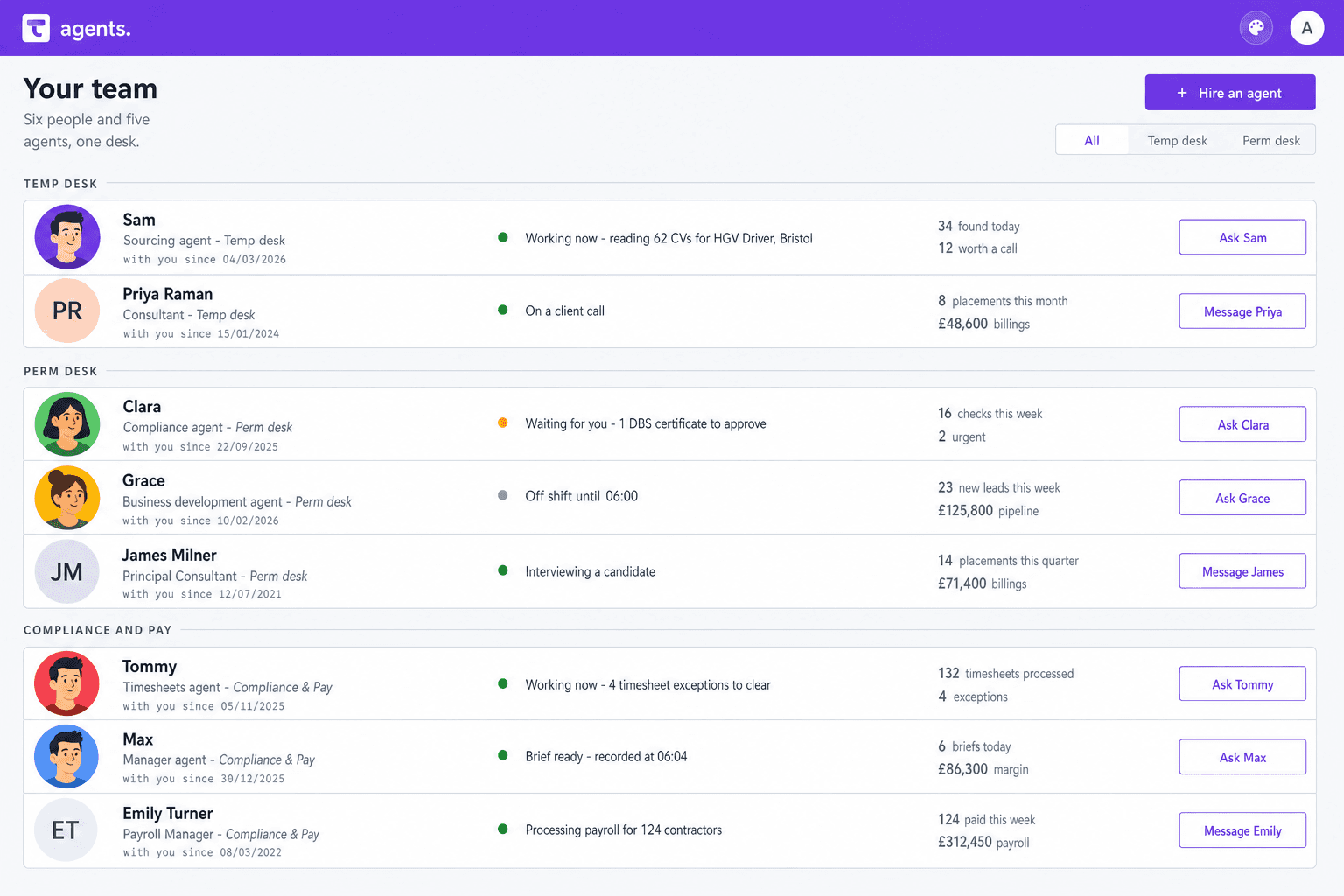
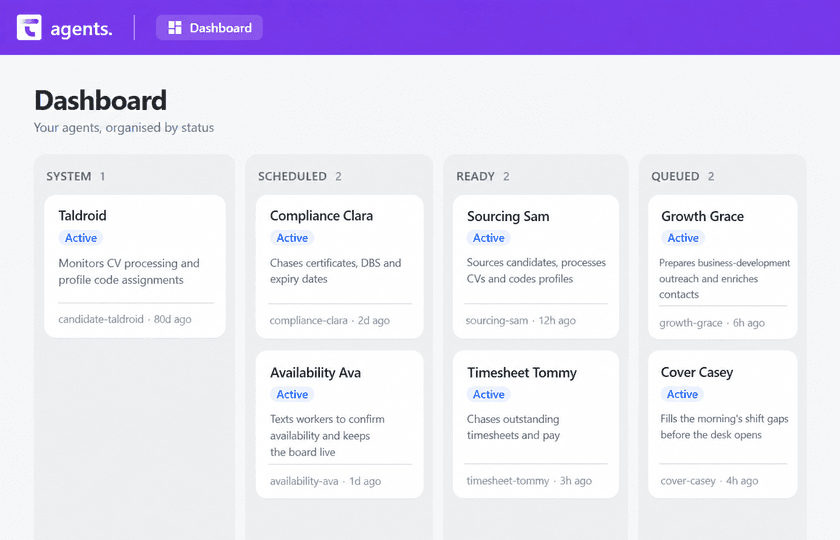
The agents working desks today

Sourcing Sam
Does the resourcing, and keeps the CRM tidy.

Compliance Clara
Always watching, so your compliance stays in order.

Timesheet Tommy
Chases the timesheets, and reads the images that come in.

Growth Grace
Works the outreach, and fills in the contact detail.

Manager Max
Reads what moved overnight, and writes your morning briefing.
The roster keeps growing. Every new agent arrives with a name, a job and a person who signs its work off.
Things an agent could do for your agency
Each line below is a job someone on your desk does today. Pick one, brief it, and watch it run on your own records.
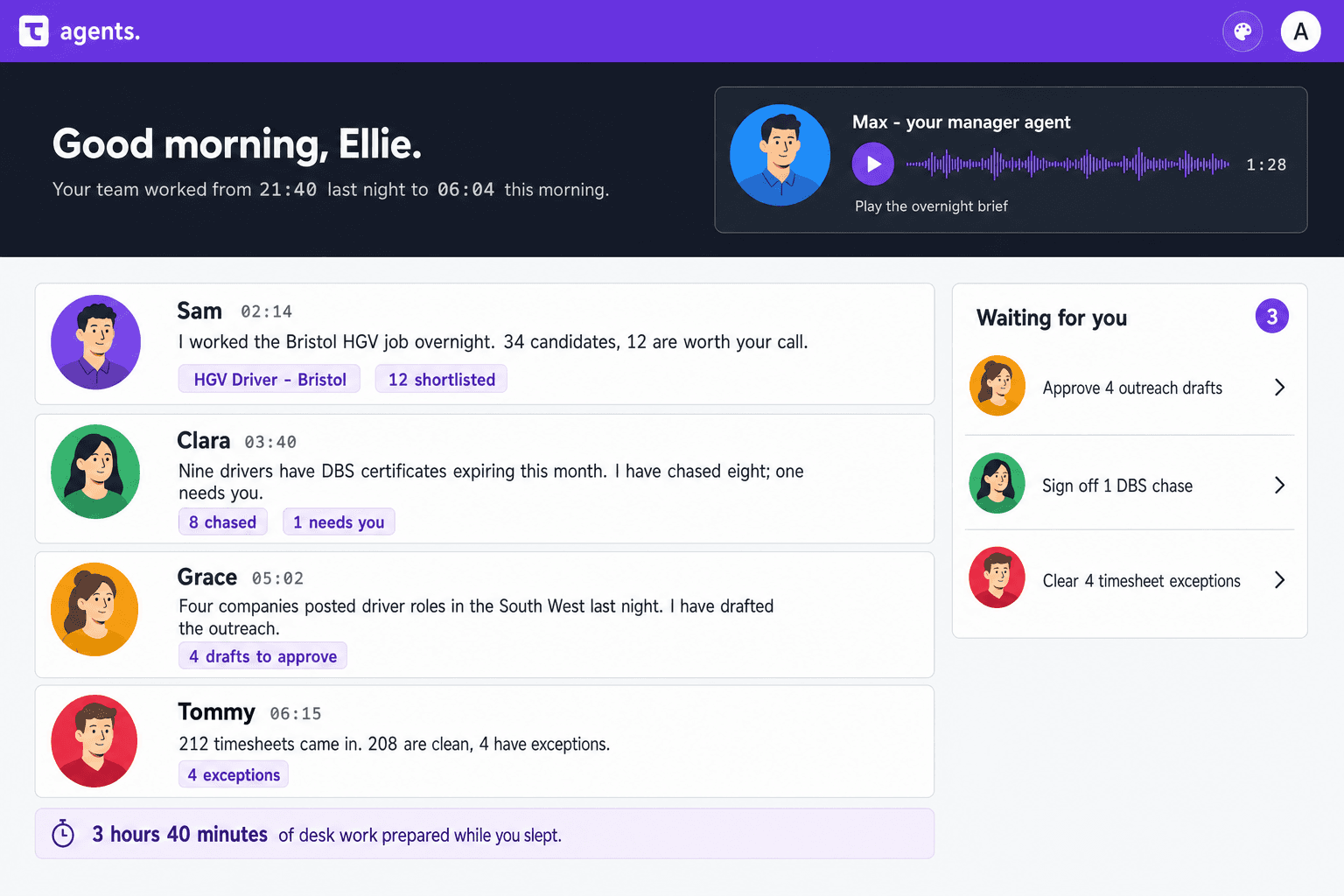
Winning the work
- Draft the outreach to companies that posted roles in your patch overnight.
- Fill in the phone number and the job title behind a new lead.
- Build the follow-up sequence for a client who went quiet in June.
- Surface the clients who used to book every week, and put them on your call list.
- Turn a client’s job spec into a draft advert for you to check.
Sourcing and the shortlist
- Read the CVs that arrived overnight and code each profile against the live vacancy.
- Rank your own database against a perm vacancy, best call first.
- Run a search again once the speciality is coded, and bring back the matches.
- Summarise the Talisman record before you pick up the phone.
- Draft the shortlist email to the client, in your words, ready for you to send.
The perm desk
- Chase both references the day an offer lands, and file the replies on the record.
- Tell you where a placement has stalled between interview and offer.
- Keep interview feedback on the record, so the next consultant reads it first.
- Set the reminders for the start date and the probation review.
- Write the weekly client update for every live perm role.
Temp, contract and shift
- Fill the morning’s open shifts from the workers who can actually do them.
- Text the workers who are free tomorrow, and keep the availability board current.
- Copy last week’s booking pattern onto next week’s dates.
- Flag the double shift before you book it.
- Push the vacancy advert out, where you have set that up.
Compliance
- Watch every right to work, DBS and professional registration for its expiry date.
- Chase the certificate, then hand you the one that needs a person.
- Hold the booking while a missing check is cleared.
- Check where a worker stands on AWR before the rate changes.
- Compare the pay rate with the one you agreed with the client.
Timesheets, pay and billing
- Chase the weeks still waiting, worker by worker, on Tuesday.
- Read a photographed paper timesheet and match it to the booking.
- Push the odd weeks to the top of the approval queue, with the reason.
- Query the hours that look wrong, and keep the fix on the same record.
- Get the invoice run ready with the timesheets attached as backing.
- Tell you which invoices have aged past terms, and who to ring.
Contracts and paperwork
- Send the contract off the placement, and watch for the signature.
- File the signed copy against the record it belongs to.
- Build the document chase once, then run it on every new starter.
- Get the right to work pack together before the first day.
The people outside your office
- Nudge the worker who still has an onboarding form to finish.
- Tell each client manager which approvals are sitting with them.
- Confirm tomorrow’s shift, and update the booking on the reply.
- Send a candidate their own record to check and correct.
Reporting, and the record itself
- Write the morning briefing from everything that moved overnight.
- Build the dashboard you described in a sentence.
- Trace a number on a dashboard back to the placement or the shift behind it.
- Keep the CRM tidy, so records are coded and the notes sit on the right file.
Follow any of these through the product: the recruitment CRM, the Booking Desk, online timesheets, Pay & Bill and dashboards and reporting.
Build your own agent
Describe the job the way you would describe it to a new starter. That description becomes the agent.
- Say what the job is, in plain English.
- Name the records it works on, and the moment it starts.
- Choose who reads its work and signs it off.
- Start with one. Sign it off. Then brief the next.
Bring the job you want covered and we will build the agent around it.
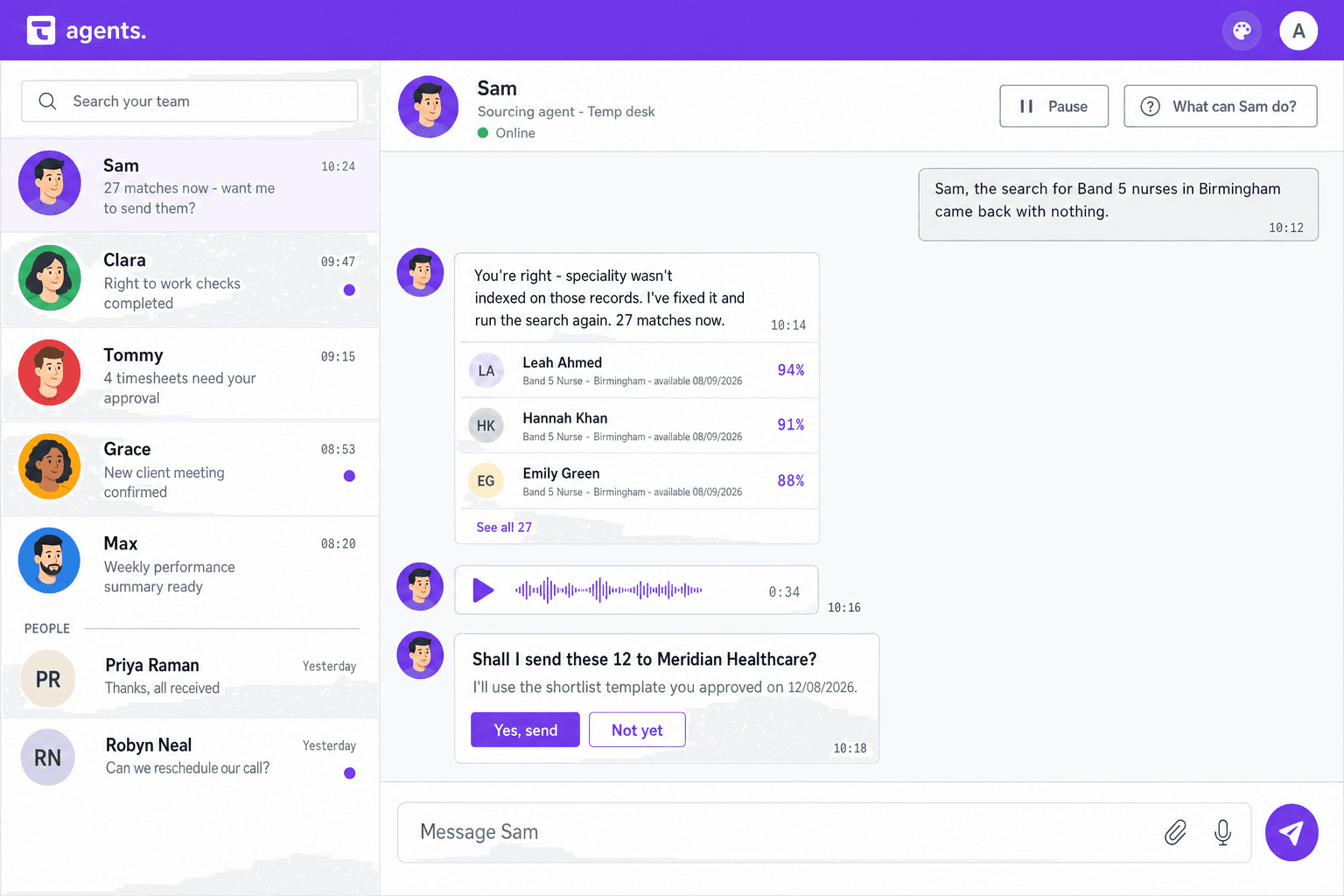
Sourcing Sam, one run
Sam reads the CVs that came in overnight and codes each profile against the live vacancy. The recruiter decides who is right and who gets the call.
How it works
Your team or an agent
The agents
Talisman
- TalismanA CV lands, or a DBS expires
- The agentsReads the live record, on the permissions it was givenSourcing Sam, or Compliance Clara
- The agentsDid it produce a clear result?Uncertain work carries its reason
- Your team or an agentReview early results and feed back corrections
- TalismanRun automatically once the team is confidentWithin the agreed workflow and permissions
- TalismanThe placement, or the booking, carries on
Where it stops and waits for somebody
- A person needs to take overFlagged with the reason, beside the clean workStops here. A named person picks it up.
- Your process needs a personKeep the decisions and exceptions you choose with your teamStops here. A named person picks it up.
What you control
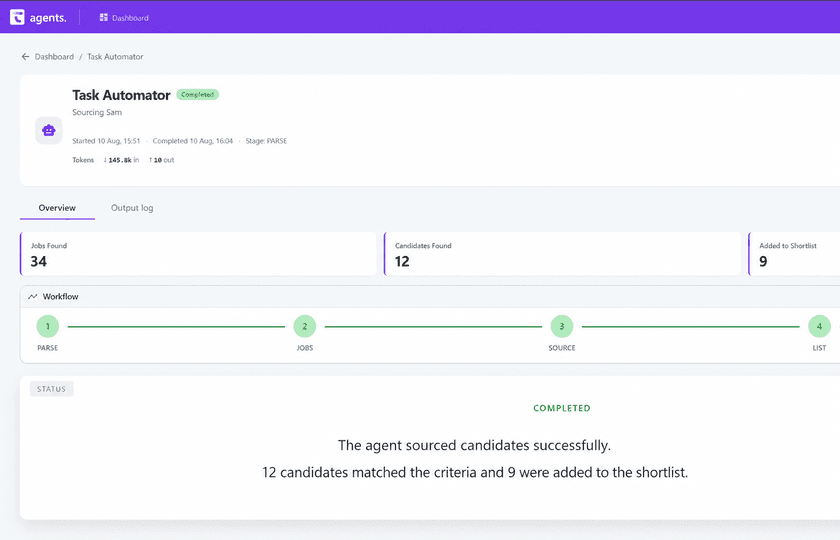
One screen shows which agents are running, how far through they are, what each run cost and the results it recorded.
- Stop a run mid-way. Pick it up again later.
- Use checkpoints to recover completed work.
- Open a run and review its recorded steps.
- Write the way your agency does a thing down once, as a playbook.
An agent signs in as a real user in your agency's environment, and every action carries that name. Read about security, audit, consent and GDPR controls across Talisman.
ChatGPT, Copilot and Claude
- An approved assistant arrives as the signed-in person, on their permissions.
- It reads the live candidate, client, job and booking they can already reach.
- Write tools can act directly; check the assistant’s confirmation settings.
- Agree which supported actions the connection may use.
Getting started
- Brief it with the person who does that job today.
- Review early results during the training period.
- Correct the brief wherever it differs from your team.
- Automate once your team is confident, then brief the next agent.
The same agents, on the desk your sector actually runs.
Sam sources the people your sector places and Clara watches the checks that gate a placement there — CSCS cards on a construction desk, Driver CPC on a logistics one, enhanced DBS in childcare. Pick your sector to see the desk end to end.
- AerospaceSam sources engineers; Clara watches baseline and security clearance status.
- AutomotiveSam sources technicians; Clara watches technical and trade qualifications.
- BankingSam sources candidates; Clara watches regulatory reference requests tracked to completion.
- ChildcareSam sources practitioners; Clara watches enhanced DBS.
- Civil EngineeringSam sources engineers; Clara watches CSCS cards.
- ConstructionSam sources trades; Clara watches CSCS cards.
- DefenceSam sources specialists; Clara watches clearance level and expiry held on the worker record.
- EducationSam sources teachers; Clara watches enhanced DBS and barred list check.
- EngineeringSam sources engineers; Clara watches professional and trade qualifications.
- FinanceSam sources candidates; Clara watches professional qualifications on the candidate record.
- FMCGSam sources operatives; Clara watches food hygiene certification.
- GeneralistSam sources candidates; Clara watches right-to-work documents.
- GovernmentSam sources officers; Clara watches baseline personnel security standard checks.
- HealthcareSam sources clinicians; Clara watches professional registration checked and held with its expiry.
- HospitalitySam sources workers; Clara watches right-to-work documents.
- HRSam sources specialists; Clara watches right-to-work documents.
- IndustrialSam sources operatives; Clara watches plant and equipment licences.
- InsuranceSam sources specialists; Clara watches professional qualifications on the candidate record.
- ITSam sources engineers; Clara watches contract status and IR35 position held with the placement.
- LegalSam sources lawyers; Clara watches practising certificate status.
- LogisticsSam sources drivers; Clara watches licence categories and Driver CPC.
- ManufacturingSam sources operatives; Clara watches machine and plant tickets.
- Marketing & DigitalSam sources specialists; Clara watches right-to-work documents.
- Rec2RecSam sources consultants; Clara watches references confirmed on the worker record.
- RetailSam sources colleagues; Clara watches right-to-work documents.
- SalesSam sources candidates; Clara watches right-to-work documents.
- ScientificSam sources scientists; Clara watches professional and academic qualifications.
- SportingSam sources coaches; Clara watches enhanced DBS.
- Supply Chain & OperationsSam sources operatives; Clara watches plant and equipment licences.
- TransportSam sources drivers; Clara watches licence categories and Driver CPC.
AI recruitment agent FAQ
What is an AI recruitment agent in Talisman?
It is an AI worker configured for a recruitment task. Your team reviews the early results and feeds back corrections. Once that feedback is incorporated and you are confident in the output, the agreed workflow runs automatically. People handle the exceptions and decisions your process reserves for them.
Which AI-agent roles can agencies meet today?
Sourcing Sam reads CVs and codes profiles. Compliance Clara chases certificates and expiry dates. Timesheet Tommy turns submitted and photographed hours into something usable. Growth Grace drafts outreach and fills in missing contact detail. Manager Max writes the morning briefing. Those are the agents live in the product today, and the roster grows as we build.
How can managers control agent work?
Review run progress, recorded work and costs. Use the training period to check results and incorporate feedback, then automate the agreed workflow. You can stop and resume runs; checkpoints help recover recorded work. Stopping does not undo completed actions.
How do agencies start with Talisman AI agents?
Start with the process you know best. Run it on live Talisman records for one to six weeks while the desk carries on as normal. Compare what the agent did with what your team would have done. Correct the brief, then widen it when the work matches. Getting an agent right takes careful correction from the first run. Permissions, the queue of work and the stop button apply from that run. So do the full run history and everything that goes back onto the record.
Can approved assistants such as ChatGPT, Copilot and Claude use Talisman context?
Yes, through an authorised MCP connection. Available records and actions depend on supported tools and access controls. Write tools can act directly, so agree enabled actions and check the assistant’s confirmation settings before use.
Pick an agent. Watch it work.
See how your feedback shapes the work, from training to automation.