Recruitment automation software that does the follow-up you meant to do.
It chases the reference, the DBS and the timesheet, at the time you said.
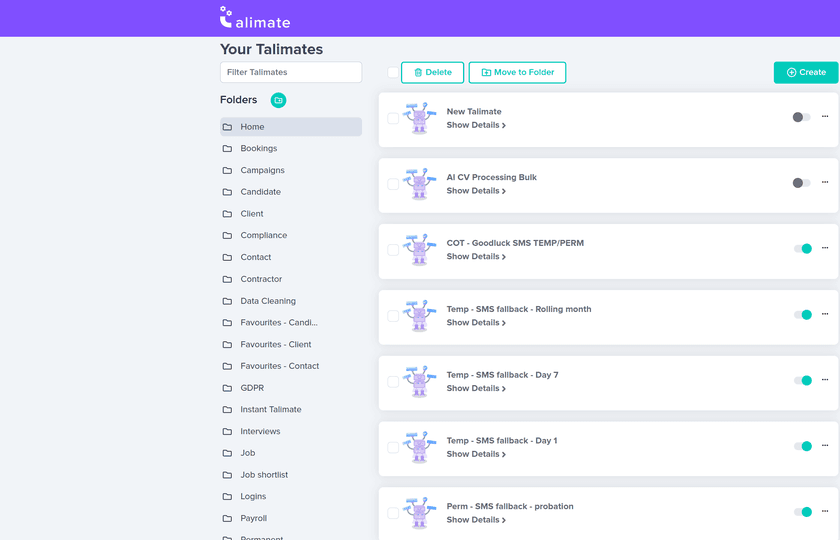
What is Talimate?
You said you would chase that DBS on Thursday.
Talimate chases it on Thursday. It runs on the live candidates, contacts, clients and jobs in Talisman. The reminder. The document request. The follow-up text. You write the rule once; the consultant decides who is right for the job.
The first workflow is the slow one. Getting the condition and the wording right is the work. The sending is the easy part.
The record changes. The workflow starts.
- Point it at a saved candidate, contact, client or job search.
- Or keep it to the records added since it last ran.
- Run it now, or at a set time before the desk opens.
Where a workflow starts
Saved search
Start from a list you already built.
New activity
Only the records added since.
Schedule
Before the desk opens, if that suits.
Build the whole follow-up sequence
Put the steps in the order your perm, temp or contract desk works.
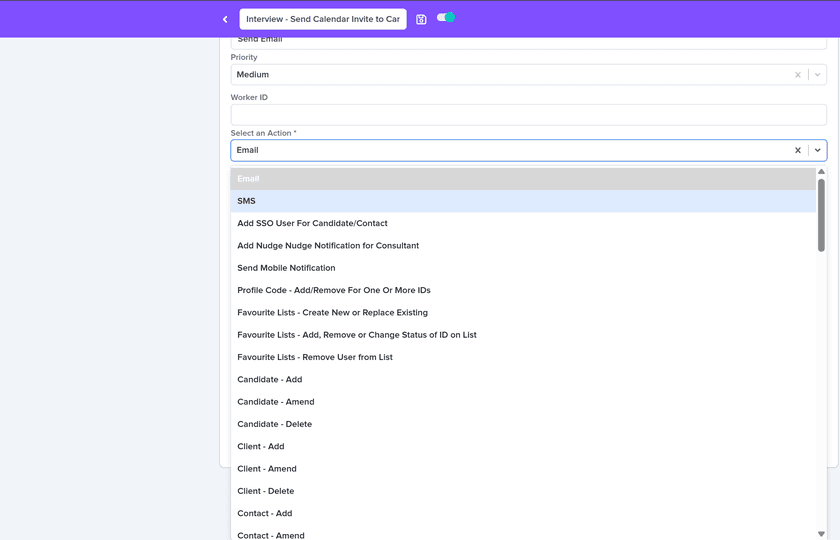
Prepare
Reads the live record before it sends anything.
Request
Sends the approved wording — email, SMS or a notification.
Wait
Holds for the gap you set between chases.
Escalate
Hands it to the named owner on the workflow.
What agents do here
Agents like Sourcing Sam, Compliance Clara and Timesheet Tommy each take a whole slice of the desk.
Talimate follows a rule you wrote
- What starts it
- A condition you set, a saved search, or the time you chose.
- What it brings back
- The message that went, and the record it had to skip.
- What goes back into Talisman
- The request, the text and the status, on the record itself.
An agent works a job
- What starts it
- A whole slice of the desk — the CVs, the certificates, the timesheets.
- What it brings back
- Work you review during training, then automate once you’re confident.
- What goes back into Talisman
- The same candidate, contact, client and job records you already read.
Your process, your templates
Choose the wording and timing before switching a workflow on.
Set up notifications for the consultants or administrators who need to follow up. Review and adjust the workflow when your process changes.
Check the audience, communication permissions and message templates as part of your setup. See how Talisman handles permissions and consent controls.
Talimate FAQ
What can trigger a Talimate workflow?
A record changes. A saved search picks up a group — everyone whose DBS expires next month, say. Or the clock reaches a time you chose. Switch it off the day the process changes.
Can a workflow contain more than one action?
Yes. Steps run as a chain, in the order you set. A later step uses the candidate or job the earlier one found, so the last message still knows who it is about.
What routine work can Talimate handle?
Document chases. Email and SMS reminders. Prompts when a status changes. Internal notifications. Campaign follow-up. The agency writes the process; Talimate runs it.
How does the agency stay in control of automations?
Everything running sits in one list the team can search, in folders by purpose, team, branch or campaign. Open one and change a step, its timing, or switch it off.
See Talimate run one of your own chases
Bring the follow-up your desk drops most often.