Online timesheets that end the Friday phone-round.
The worker submits online. The manager approves. Those hours become pay and the client invoice. Perm, contract, temp or shift: the hours side of every agency runs the same way.
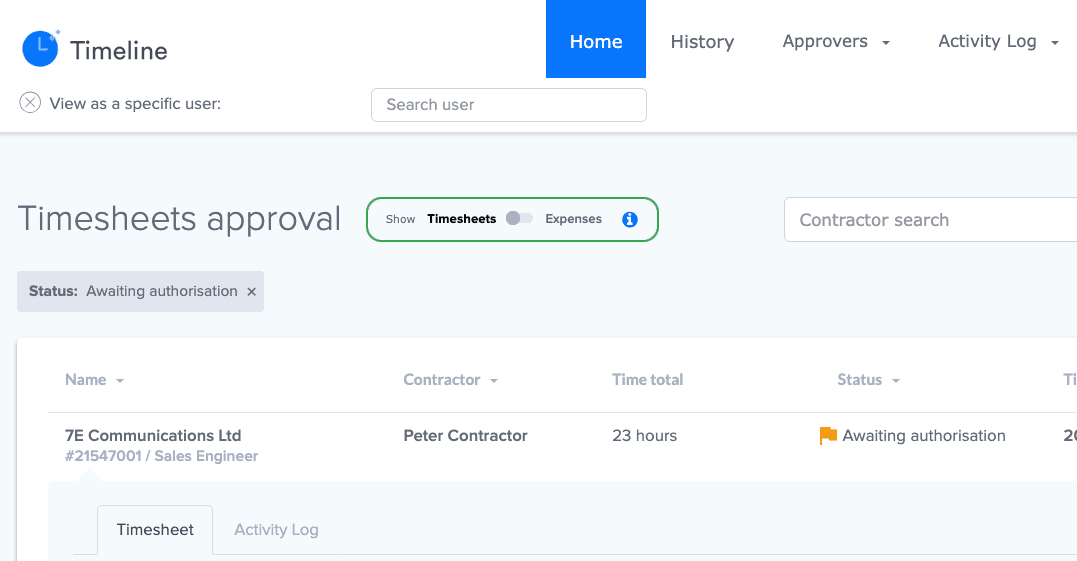
One approval queueWho's in, who's late, and who's disputed — on one screen.
The evidence stays putThe photo of the paper timesheet stays with the week it belongs to.
Approved hours, straight outApproved hours become the payslip and the client invoice.
The real approval view: weeks waiting for sign-off.
What are Talisman Online Timesheets?
Recruitment agency timesheet software for temp, contract and shift work, and for the contract side a perm agency runs alongside. The worker puts hours against the booking they worked. The named approver checks the week. Approved hours carry their rates and values into Pay & Bill.
From the week worked to the hours signed off
Submission and approval are separate stages. Payroll and finance finish their checks after that.
Timesheet states: where the week has got to
Draft, completed, missing, queried, approved. A week sits in one of these until the desk or the approver moves it.
Pay and invoice states: where the money has got to
Open, held, in process, posted. This starts at approval and belongs to payroll and finance.
Workers submit. Managers approve. Consultants work the exceptions.
Worker, manager, client and supplier all in the same process
Saved as a draft, or sent in and done
One approval queue, whichever route the week came in by
Each person only sees the work that is theirs
Spot the missing timesheet on Tuesday, not on payroll Friday
She says she sent it on Friday. His approval queue shows the week waiting. The pay run closes at four.
You can see every missing week and every waiting approval
Reminders you set up for workers and approvers
The query, the fix and the resubmission, all on one record
Changes freeze while a pay run goes through
What the agents actually do here
Timesheet Tommy drafts the chase from the live missing-time list
He pushes the odd weeks to the top of it
Approval and pay decisions stay with the people you have given access
Take the client's spreadsheet and the photo of the paper timesheet
The big client sends one spreadsheet a week with every worker on it.
Your team validates a bulk import before it reaches live Pay & Bill
Scans and paper sheets captured and matched to the booking
The photo stays on the week, and evidence attaches to the invoice
Keep the rates, the holiday and the PO number with the time
The client's accounts team pays the invoice once the PO number is on it.
More than one rate and more than one type of work
Holiday hours and values tied to the same time
PO numbers, and the rules that hold time back until it is right
Paper timesheets land in a queue, and an agent logs them
Plenty of agencies still run on paper. Send the sheets in and they land in a queue.
Tommy reads each sheet in the queue and logs it
The logged week joins the same approval queue as every other route
The sheet stays with the week, so the approver sees what the worker signed
Timeline: plan the working day inside Online Timesheets
Timeline is the week view inside Online Timesheets. Same product, same purchase, same record.
Everyone opens Timeline and sees their own working day
Weekly, monthly, shift and expense patterns that match the assignment
Unworked-day declarations, and a history you can search
Receipts stay attached to the expense they belong to
Feed approved time into Pay & Bill
The approved week is what the payslip and the client invoice are built from.
Payable totals worked out from the approved time
Client charges ready to go on the invoice
Open, held, in process, posted: you can see where the week has got to
Bookings before, Pay & Bill after
Booking Desk sets the job, the shift and the rates. Online Timesheets records what happened and gets it approved. Pay & Bill picks up the payable values and the invoice-ready charges. One record, all the way through.
Know who approved it, and what they were looking at
The role decides which weeks appear and which actions are available. The evidence stays attached, and the change history answers who changed that line.
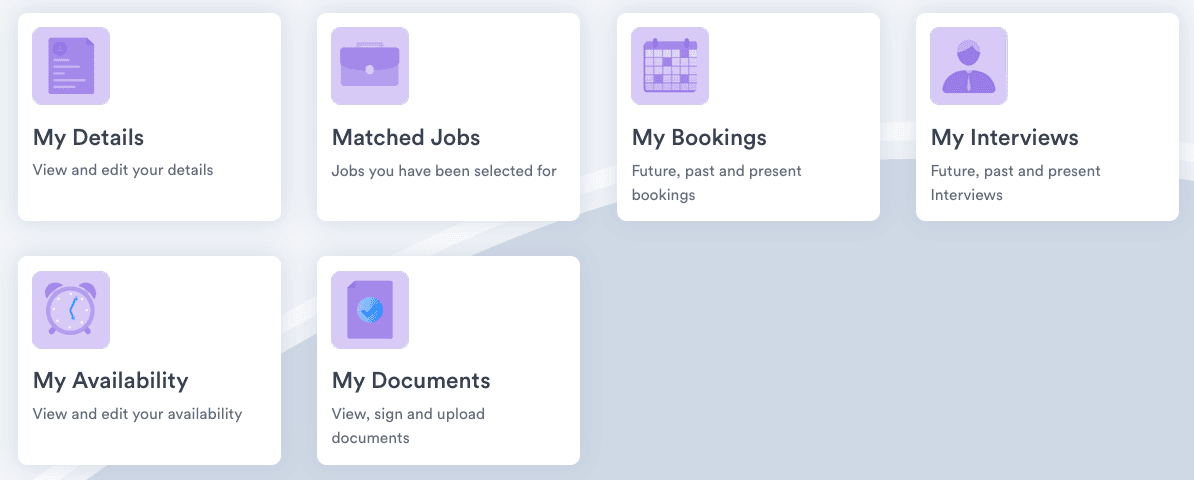
Access set by role, seen from the worker's end. The approver signs in to their own waiting list of weeks.
Built for every desk with hours to sign off
The temp desk at volume, the specialist shift desk, and the contract book a perm agency keeps alongside its placements. Workers, clients, suppliers, operations and payroll share one weekly approval run. You decide who approves for each client, and what the reminders and PO rules do. A strange week still goes to a person.